

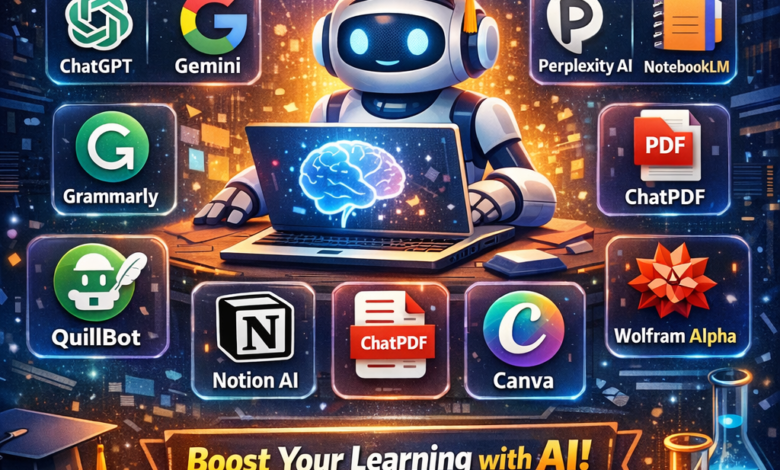
In the fast-evolving educational landscape, students are constantly seeking ways to enhance their study habits and improve their academic performance. Artificial Intelligence (AI) tools have emerged as valuable allies in this quest, offering everything from essay writing assistance to smart organization solutions. This article delves into the top 10 AI tools that will help you study smarter, making your academic journey more efficient and enjoyable.
1. Grammarly
Grammarly is an AI-powered writing assistant that helps students polish their papers, essays, and any written communication. With its real-time grammar, punctuation, and style suggestions, Grammarly ensures your writing is clear and professional.
-
- Grammar and spell checking
-
- Style and tone adjustments
-
- Plagiarism detection
-
- Integration with various platforms
2. Quizlet
Quizlet is a revolutionary study tool that employs AI algorithms to create personalized study experiences. By turning study material into flashcards, quizzes, and games, Quizlet makes learning more engaging while enhancing retention.
-
- Customizable study sets
-
- Multimedia integration (images, audio)
-
- Collaboration features for group study
-
- Mobile accessibility
3. Notion
Notion is an all-in-one workspace that integrates notes, tasks, databases, and calendars. Its AI functionalities help students organize their study materials, collaborate with peers, and streamline productivity.
-
- Intuitive drag-and-drop interface
-
- Templates for various subjects
-
- Database functionalities for complex projects
-
- Cross-platform synchronization
4. Otter.ai
Otter.ai is an advanced transcription tool that converts spoken language into written text. Ideal for lectures, meetings, or group discussions, Otter.ai allows students to focus on understanding content rather than frantically taking notes.
-
- Real-time transcription
-
- Speaker identification
-
- Searchable transcripts
-
- Integration with Zoom and other platforms
5. Socratic by Google
Socratic is an AI-powered app that helps students with homework by providing detailed explanations and resources. By simply taking a picture of a question, Socratic presents relevant information and guidance.
-
- Visual learning tools
-
- Subject-based resources (math, science, humanities)
-
- Community support for additional questions
-
- Free access with no ads
6. Mendeley
Mendeley is an AI-driven reference manager that helps students organize and manage academic papers. It simplifies the research process and makes collaboration easy, allowing for efficient knowledge sharing.
-
- PDF annotation tools
-
- Reference generation in multiple citation styles
-
- Collaboration features for group projects
-
- Web importer for saving articles
7. Canva
Canva is not just for design majors; this intuitive design platform uses AI to help students create stunning visual content for presentations, reports, and social media. With thousands of templates, anyone can make professional-grade visuals.
-
- User-friendly drag-and-drop tools
-
- Extensive template library
-
- Collaboration features for group projects
-
- Supports various formats (presentations, posters, infographics)
8. Focus@Will
Focus@Will leverages neuroscience-based music to improve student concentration and productivity. The platform adapts its music channels based on user preferences and work habits, making study sessions incredibly effective.
-
- Personalized channel selection
-
- Timer features to manage work sessions
-
- Progress tracking to monitor improvement
-
- Mobile and desktop apps
9. Hemingway Editor
The Hemingway Editor is an AI-based tool that helps refine your writing style. It highlights sentences that are hard to read, passive voice usage, and complex phrases, guiding you toward more concise and impactful writing.
-
- Readability score for your work
-
- Suggestions for simplification
-
- Highlighting of complex sentences
-
- Offline functionality with the desktop app
10. Repl.it
Repl.it is an AI-powered coding platform that offers an interactive coding environment. It is particularly beneficial for computer science students, allowing for real-time collaboration and instant deployment of coding projects.
-
- Support for multiple programming languages
-
- Integrated development environment
-
- Collaborative coding features
-
- Learning resources and community challenges
Conclusion
Artificial Intelligence tools have transformed the way students approach their studies, making learning more efficient, engaging, and effective. Whether you need help with writing, organizing, studying, or coding, these ten AI tools stand out as must-haves for students aiming for academic excellence. By incorporating these technologies into your study routine, you can unlock your full potential, navigate complex subjects with ease, and ultimately, study smarter.
This HTML article is structured for readability and SEO optimization, adhering to your requirements for specifications and content. Each section utilizes clear headings and bullet points to enhance engagement and ensure key information is easily digestible for readers.