


























• About Us
  • Contact Us
  • Home
  • Privacy Policy
  • Terms of Service
Reads For You
  • Home
  • AI Tools
    • All
    • AI Coding Tools
    • AI content creators
    • AI Education
    • AI Image Generators
    • AI PDF
    • AI Video Generators
    • AI Voice & Audio Tools
    • AI Writing Tools
    Best AI Voice Tools in 2026: Prices and Comparison

    Best AI Voice Tools in 2026: Prices and Comparison

    Google AI Studio vs Grok API: New Models and Prices (October 2026)

    Google AI Studio vs Grok API: New Models and Prices (October 2026)

    How to Use AI to Write a Better Resume and Cover Letter (Without Sounding Like a Robot)

    How to Use AI to Write a Better Resume and Cover Letter (Without Sounding Like a Robot)

    How to Use Canva’s New AI Image Generator

    How to Use Canva’s New AI Image Generator

    How to Make a Song with AI: The Steps and the Tools to Use

    How to Make a Song with AI: The Steps and the Tools to Use

    How Harvard Students Are Using Claude: What the Crimson Reports (and What It Doesn’t Say)

    How Harvard Students Are Using Claude: What the Crimson Reports (and What It Doesn’t Say)

  • AI News
    • All
    • AI Companies & Startups
    • AI Research
    • AI Updates & Releases
    • Creative Tools
    • Latest AI News
    • OpenAI
    • Science
    Latest AI Tool Releases in 2026: 10 New Launches Worth Knowing (October Update)

    Latest AI Tool Releases in 2026: 10 New Launches Worth Knowing (October Update)

    Why Sweden Blocked ChatGPT and Claude in Government Offices

    Why Sweden Blocked ChatGPT and Claude in Government Offices

    How to Protect Your Website From AI-Found Security Bugs

    How to Protect Your Website From AI-Found Security Bugs

    Claude Duet: What the New Daily-Briefing Agent Does

    Claude Duet: What the New Daily-Briefing Agent Does

    How ChatGPT’s New Locked Chats Work: Keeping Sensitive Conversations Out of Your Regular Memory

    How ChatGPT’s New Locked Chats Work: Keeping Sensitive Conversations Out of Your Regular Memory

    GPT-6.1 Sol: What the COBOL Migration Jump Means

    GPT-6.1 Sol: What the COBOL Migration Jump Means

  • AI for Business
    • All
    • AI Customer Service
    • AI for E-commerce
    • AI Marketing
    • AI Sales Tools
    How to Use the Best AI Tools to Sell Products on eBay

    How to Use the Best AI Tools to Sell Products on eBay

    How to Create and Sell a Digital Product with AI: The 10 Tools You Actually Need

    How to Create and Sell a Digital Product with AI: The 10 Tools You Actually Need

    How AI Recommendations Are Changing Which Brands People Buy: What the Survey Shows (and What It Can’t Prove)

    How AI Recommendations Are Changing Which Brands People Buy: What the Survey Shows (and What It Can’t Prove)

    10 Best AI Customer Support Tools for Small Businesses in 2026

    10 Best AI Customer Support Tools for Small Businesses in 2026

    10 Best AI Tools for Etsy Sellers in 2026

    10 Best AI Tools for Etsy Sellers in 2026

    10 AI Tools for Marketers in 2026 (Plus 2 Popular Picks That Shut Down)

    10 AI Tools for Marketers in 2026 (Plus 2 Popular Picks That Shut Down)

  • Opportunities with Ai
    • All
    • AI Content Monetization
    • AI Passive Income
    • AI Side Hustles
    10 Free AI Tools for YouTube Creators: Scripts, Thumbnails, and Captions

    10 Free AI Tools for YouTube Creators: Scripts, Thumbnails, and Captions

    10 Free AI Tools to Make Money Online ( 2026 Guide)

    10 Free AI Tools to Make Money Online ( 2026 Guide)

    10 AI Tools You Can Actually Make Money With in 2026

    10 AI Tools You Can Actually Make Money With in 2026

    Trending Tags

    • Golden Globes
    • Game of Thrones
    • MotoGP 2017
    • eSports
    • Fashion Week
  • Guides
    • All
    • Beginner Guides
    • ChatGPT Tutorials
    • Prompting
    How to Run AI on Your Computer Without Internet

    How to Run AI on Your Computer Without Internet

    ChatGPT Pro Parallel Agents and Faster Responses: Is Pro Worth It Now?

    ChatGPT Pro Parallel Agents and Faster Responses: Is Pro Worth It Now?

    Best AI Chatbots Right Now (October 2026): Compared by Price, Models

    Best AI Chatbots Right Now (October 2026): Compared by Price, Models

    How to Make Presentations and Documents with Claude for Free (Docs, Slides & Design)

    How to Make Presentations and Documents with Claude for Free (Docs, Slides & Design)

    How to Write Viral TikTok Video Prompts Using Grok and Claude

    How to Write Viral TikTok Video Prompts Using Grok and Claude

  • AI Comparisons
    • All
    • AI Chatbot
    • AI Model
    • AI Writing Tool
    Google AI Studio vs Grok API: New Models and Prices (October 2026)

    Google AI Studio vs Grok API: New Models and Prices (October 2026)

    How Gemini 4 Argon Agents Beat Minecraft’s Ender Dragon: What the Experiment Really Shows

    How Gemini 4 Argon Agents Beat Minecraft’s Ender Dragon: What the Experiment Really Shows

    How to Use AI to Write a Better Resume and Cover Letter (Without Sounding Like a Robot)

    How to Use AI to Write a Better Resume and Cover Letter (Without Sounding Like a Robot)

    10 Best AI Customer Support Tools for Small Businesses in 2026

    10 Best AI Customer Support Tools for Small Businesses in 2026

    Best AI Chatbots Right Now (October 2026): Compared by Price, Models

    Best AI Chatbots Right Now (October 2026): Compared by Price, Models

    ChatGPT, Claude & Gemini: Every Major Update as of October 2026

    ChatGPT, Claude & Gemini: Every Major Update as of October 2026

    ChatGPT vs Claude vs Gemini: AI Model Comparison 2026

    ChatGPT vs Claude vs Gemini: AI Model Comparison 2026

    Claude Opus 5: Anthropic’s Cheaper, Near-Frontier AI Model Explained

    Claude Opus 5: Anthropic’s Cheaper, Near-Frontier AI Model Explained

    ChatGPT vs. Gemini: Which Is Better for Freelancers in 2026?

    ChatGPT vs. Gemini: Which Is Better for Freelancers in 2026?

No Result
View All Result
  • Home
  • AI Tools
    • All
    • AI Coding Tools
    • AI content creators
    • AI Education
    • AI Image Generators
    • AI PDF
    • AI Video Generators
    • AI Voice & Audio Tools
    • AI Writing Tools
    Best AI Voice Tools in 2026: Prices and Comparison

    Best AI Voice Tools in 2026: Prices and Comparison

    Google AI Studio vs Grok API: New Models and Prices (October 2026)

    Google AI Studio vs Grok API: New Models and Prices (October 2026)

    How to Use AI to Write a Better Resume and Cover Letter (Without Sounding Like a Robot)

    How to Use AI to Write a Better Resume and Cover Letter (Without Sounding Like a Robot)

    How to Use Canva’s New AI Image Generator

    How to Use Canva’s New AI Image Generator

    How to Make a Song with AI: The Steps and the Tools to Use

    How to Make a Song with AI: The Steps and the Tools to Use

    How Harvard Students Are Using Claude: What the Crimson Reports (and What It Doesn’t Say)

    How Harvard Students Are Using Claude: What the Crimson Reports (and What It Doesn’t Say)

  • AI News
    • All
    • AI Companies & Startups
    • AI Research
    • AI Updates & Releases
    • Creative Tools
    • Latest AI News
    • OpenAI
    • Science
    Latest AI Tool Releases in 2026: 10 New Launches Worth Knowing (October Update)

    Latest AI Tool Releases in 2026: 10 New Launches Worth Knowing (October Update)

    Why Sweden Blocked ChatGPT and Claude in Government Offices

    Why Sweden Blocked ChatGPT and Claude in Government Offices

    How to Protect Your Website From AI-Found Security Bugs

    How to Protect Your Website From AI-Found Security Bugs

    Claude Duet: What the New Daily-Briefing Agent Does

    Claude Duet: What the New Daily-Briefing Agent Does

    How ChatGPT’s New Locked Chats Work: Keeping Sensitive Conversations Out of Your Regular Memory

    How ChatGPT’s New Locked Chats Work: Keeping Sensitive Conversations Out of Your Regular Memory

    GPT-6.1 Sol: What the COBOL Migration Jump Means

    GPT-6.1 Sol: What the COBOL Migration Jump Means

  • AI for Business
    • All
    • AI Customer Service
    • AI for E-commerce
    • AI Marketing
    • AI Sales Tools
    How to Use the Best AI Tools to Sell Products on eBay

    How to Use the Best AI Tools to Sell Products on eBay

    How to Create and Sell a Digital Product with AI: The 10 Tools You Actually Need

    How to Create and Sell a Digital Product with AI: The 10 Tools You Actually Need

    How AI Recommendations Are Changing Which Brands People Buy: What the Survey Shows (and What It Can’t Prove)

    How AI Recommendations Are Changing Which Brands People Buy: What the Survey Shows (and What It Can’t Prove)

    10 Best AI Customer Support Tools for Small Businesses in 2026

    10 Best AI Customer Support Tools for Small Businesses in 2026

    10 Best AI Tools for Etsy Sellers in 2026

    10 Best AI Tools for Etsy Sellers in 2026

    10 AI Tools for Marketers in 2026 (Plus 2 Popular Picks That Shut Down)

    10 AI Tools for Marketers in 2026 (Plus 2 Popular Picks That Shut Down)

  • Opportunities with Ai
    • All
    • AI Content Monetization
    • AI Passive Income
    • AI Side Hustles
    10 Free AI Tools for YouTube Creators: Scripts, Thumbnails, and Captions

    10 Free AI Tools for YouTube Creators: Scripts, Thumbnails, and Captions

    10 Free AI Tools to Make Money Online ( 2026 Guide)

    10 Free AI Tools to Make Money Online ( 2026 Guide)

    10 AI Tools You Can Actually Make Money With in 2026

    10 AI Tools You Can Actually Make Money With in 2026

    Trending Tags

    • Golden Globes
    • Game of Thrones
    • MotoGP 2017
    • eSports
    • Fashion Week
  • Guides
    • All
    • Beginner Guides
    • ChatGPT Tutorials
    • Prompting
    How to Run AI on Your Computer Without Internet

    How to Run AI on Your Computer Without Internet

    ChatGPT Pro Parallel Agents and Faster Responses: Is Pro Worth It Now?

    ChatGPT Pro Parallel Agents and Faster Responses: Is Pro Worth It Now?

    Best AI Chatbots Right Now (October 2026): Compared by Price, Models

    Best AI Chatbots Right Now (October 2026): Compared by Price, Models

    How to Make Presentations and Documents with Claude for Free (Docs, Slides & Design)

    How to Make Presentations and Documents with Claude for Free (Docs, Slides & Design)

    How to Write Viral TikTok Video Prompts Using Grok and Claude

    How to Write Viral TikTok Video Prompts Using Grok and Claude

  • AI Comparisons
    • All
    • AI Chatbot
    • AI Model
    • AI Writing Tool
    Google AI Studio vs Grok API: New Models and Prices (October 2026)

    Google AI Studio vs Grok API: New Models and Prices (October 2026)

    How Gemini 4 Argon Agents Beat Minecraft’s Ender Dragon: What the Experiment Really Shows

    How Gemini 4 Argon Agents Beat Minecraft’s Ender Dragon: What the Experiment Really Shows

    How to Use AI to Write a Better Resume and Cover Letter (Without Sounding Like a Robot)

    How to Use AI to Write a Better Resume and Cover Letter (Without Sounding Like a Robot)

    10 Best AI Customer Support Tools for Small Businesses in 2026

    10 Best AI Customer Support Tools for Small Businesses in 2026

    Best AI Chatbots Right Now (October 2026): Compared by Price, Models

    Best AI Chatbots Right Now (October 2026): Compared by Price, Models

    ChatGPT, Claude & Gemini: Every Major Update as of October 2026

    ChatGPT, Claude & Gemini: Every Major Update as of October 2026

    ChatGPT vs Claude vs Gemini: AI Model Comparison 2026

    ChatGPT vs Claude vs Gemini: AI Model Comparison 2026

    Claude Opus 5: Anthropic’s Cheaper, Near-Frontier AI Model Explained

    Claude Opus 5: Anthropic’s Cheaper, Near-Frontier AI Model Explained

    ChatGPT vs. Gemini: Which Is Better for Freelancers in 2026?

    ChatGPT vs. Gemini: Which Is Better for Freelancers in 2026?

No Result
View All Result
Reads For You
No Result
View All Result
Home AI Tools AI Video Generators

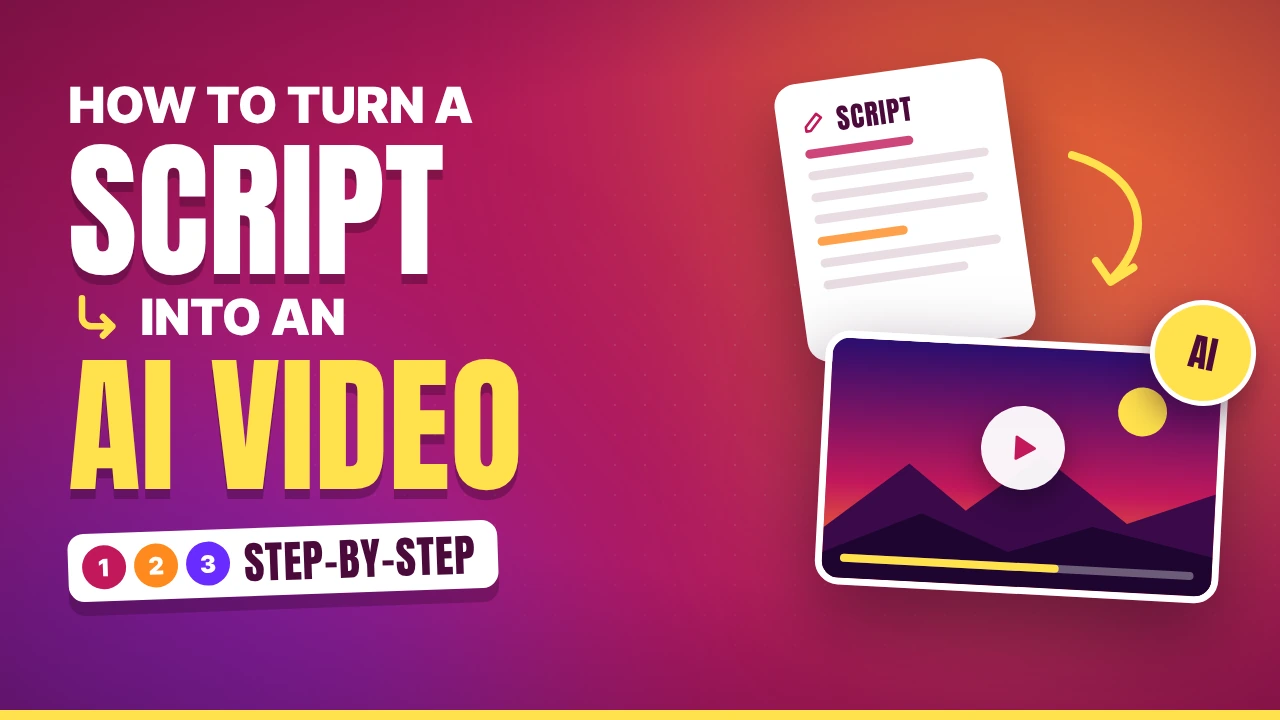
How to Turn a Script into an AI Video: A Step-by-Step

Write the script, split it into shots, turn each shot into a prompt, then generate and assemble the clips, with real credit and pricing numbers from the official pages.

Bouche by Bouche
October 22, 2026
in AI Video Generators, AI Tools
0 0
0
How to Turn a Script into an AI Video: A Step-by-Step
0
SHARES
1
VIEWS
Share on FacebookShare on Twitter

From Script to AI Video: A Step-by-Step Workflow with Claude or ChatGPT, Then Grok, Google Flow, or Higgsfield

Most people who try AI video start in the wrong place. They open a video generator, type one long sentence, and get a clip that looks nice but goes nowhere. The better route starts earlier: with a script, a shot list, and one clear prompt per shot. Only then do you open the video tool.

This guide walks through that route in eight steps. A text assistant such as Claude or ChatGPT does the planning and writing. Then you generate the clips in Grok Imagine, Google Flow, or Higgsfield. I read each tool’s own help or developer pages for the numbers below, and I mark the places where I could not confirm a detail.

Limits and prices in this field change quickly. Treat every number as a snapshot and check it in the app before you budget.

The Workflow at a Glance

  1. Decide what the video is for
  2. Write the script
  3. Split the script into shots
  4. Turn each shot into a video prompt
  5. Make reference images so characters stay consistent
  6. Generate the clips
  7. Add voice and sound
  8. Review, fix, and assemble

Step 1: Decide What the Video Is For

Before you ask any AI for anything, write down four things: the goal, the platform, the length, and the aspect ratio. A 30-second vertical clip for social media needs a different plan from a 3-minute horizontal explainer.

Length matters more than people expect. Most AI video tools produce short clips, so a longer video is really a sequence of many short ones. The Grok developer documentation, for example, lists generation of up to 15 seconds per video. A 60-second video therefore needs at least four clips, and realistically more, because some will fail.

Step 2: Write the Script with Claude or ChatGPT

Either assistant can draft the script. What matters is the brief you give it. Include the audience, the goal, the total length, the tone, and a rule that the script must be easy to show visually.

Here is a prompt you can adapt:

Write a 45-second script for a vertical video aimed at small-business owners. Goal: explain why customers abandon online carts. Tone: friendly and direct. Use short sentences. For each line, add a short note on what the viewer should see on screen. Do not include any real brand names or real people.

The last sentence is a safety habit: it keeps the visuals generic, so you are not asking a video model to recreate a real brand or a real person’s face.

Read the result aloud. A script that sounds awkward when spoken will sound worse in a synthetic voice. Ask the assistant to trim, simplify, and cut any line that does not earn its place.

Step 3: Split the Script into Shots

A video model makes one clip at a time, so ask your assistant to convert the script into a shot list. A table works well:

Shot Spoken line What we see Camera Length
1 “You lose a sale every time someone abandons a cart.” A shopper closing a laptop in a small kitchen Slow push-in 5s
2 “Here is why it happens.” Hands scrolling a product page on a phone Close-up 4s
3 “Shipping costs appear too late.” Phone screen with a total that jumps up Over-the-shoulder 5s

Keep each shot to one action. If a shot contains two actions, split it. Models handle a single clear movement far better than a sequence of events.

Step 4: Turn Each Shot into a Video Prompt

This is the step that decides quality. Google’s Flow help page recommends a detailed prompt covering the subject, action, environment, lighting, and style. That list is a solid skeleton for any tool. Add the camera movement and you have a repeatable formula:

Subject + action + setting + lighting + camera + style

Ask your assistant to rewrite every row of the shot list in this format. Example for shot 1:

A woman in her thirties sits at a wooden kitchen table, closes her laptop slowly and sighs. Morning light from a window on the left. The camera pushes in slowly. Natural, realistic style, shallow depth of field.

Ask the assistant to keep a short “style line” and reuse it word for word in every prompt. Identical style language is one of the cheapest ways to make separate clips look like they belong together.

Step 5: Make Reference Images for Consistency

The biggest weakness of AI video is that a character can look different from one clip to the next. The fix is to start from images instead of from text alone.

Generate or upload a reference image of each main character and location first. Our guide to free AI image generators compares tools for this. Then feed those images into the video tool, where each platform handles them differently:

  • Google Flow offers “Frames” (a start frame, an end frame, or both) and “Ingredients” (reference images or videos). Flow’s help page says plain or segmented backgrounds work best for subject references.
  • Grok supports image-to-video, and the developer documentation says the 1.5 model accepts up to 14 reference images and pinned first, last, and mid-video frames.
  • Higgsfield lets you upload a reference image if the model you pick supports one.

Step 6: Generate the Clips

Google Flow

Flow’s help page lists the steps for the standard prompt box:

  1. Open Flow and start a project.
  2. Enter your detailed prompt.
  3. Click the model name and choose Video.
  4. Optionally add ingredients or frames.
  5. Set aspect ratio, number of outputs, model, and generation length.
  6. Click Generate.

There is also an Agent mode, where you describe the scene, optionally drag in media, and ask for several variations at once.

Credits. According to Google’s credits page, people without a subscription get 50 credits per day, AI Plus gets 200 per month, AI Pro gets 1,000 per month, and the two Ultra tiers get 10,000 and 25,000. Example costs: Veo 3.1 Lite is 10 credits for non-Ultra subscribers, and Veo 3.1 Fast is 20 credits. By that arithmetic, 50 daily credits cover about two Fast generations, and AI Pro’s 1,000 monthly credits cover about 50. The page does not say which models free accounts can use, and it warns that people without a subscription may be unable to generate video during peak hours, roughly 2 PM to 5 PM UTC.

Audio. The help page covers audio only through voice references: a single-speaker voice for ingredient-based videos, using the Omni Flash model.

Best for: people who want an all-in-one workspace from prompt to scene.

Watch out for: availability can differ by country, and credit costs can change.

Grok Imagine

The consumer experience lives at grok.com/imagine, which describes animating images into videos. I could not confirm current consumer limits. The only detailed source I found was a third-party page from September 2025, which is too old to rely on, so check what your plan allows inside the app.

The xAI developer documentation is clearer, and it matters if you build your own pipeline. It states that Grok Imagine video supports text-to-video and image-to-video, durations up to 15 seconds, resolutions of 480p, 720p, and 1080p, and lip-synced speech. Pricing is per second: the 1.5 model starts at $0.08 per second and the 1.5-lite model at $0.02 per second, with duration and resolution affecting the final cost. At those starting rates, a 10-second clip costs about $0.80 on 1.5 and about $0.20 on 1.5-lite, before any resolution premium. Requests are asynchronous: you submit one and check back until it finishes.

Best for: quick image-to-video clips with speech, and developers who want an API.

Watch out for: consumer limits that I could not verify, and per-second pricing that grows fast on long clips.

Higgsfield

Higgsfield is different: it is a hub rather than a single model. Its help center lists models including Veo 3.1, Kling 3.0, Sora 2, WAN 2.6, Seedance 2.0 and 2.5, and Grok Imagine 1.5. That makes it useful for testing the same prompt on several models side by side.

The first-generation guide gives the steps: choose Image or Video, pick a model, enter a prompt, upload a reference image if the model supports one, adjust duration, aspect ratio, or resolution, and click Generate.

Credits. According to Higgsfield’s credits page, the cost depends on the model, resolution, and duration, and it appears on the Generate button before you confirm. Subscription credits expire at renewal and do not roll over, while purchased credit packs expire after 90 days. The plans page says you can generate without a paid plan, but access is limited to a small set of models and includes no credits. I did not find plan prices on a page I could read, so check the pricing page.

Best for: comparing several video models in one place.

Watch out for: credits vanish at renewal, and the price varies by model.

Quick Comparison

Google Flow Grok Imagine Higgsfield
Type Google’s own video workspace xAI’s image and video generator Hub with many models
Input Text, frames, ingredients Text, image Text, image (model-dependent)
Free access 50 credits a day Limited (details unconfirmed) Small set of models, no credits
Cost visible Credits per generation Per second (API) Shown on Generate button
Main limit Peak-hour restriction on free Consumer limits unverified Credits expire

Step 7: Add Voice and Sound

You have three practical options. First, use the built-in audio: Flow supports voice references with certain models, and Grok’s documentation mentions lip-synced speech. Second, generate narration separately with a text-to-speech tool and lay it over silent clips. Third, record your own voice, which is often the most believable choice and costs nothing.

Whichever route you pick, use the script from Step 2 as the single source of truth, so the words and the visuals stay matched.

Step 8: Review, Fix, and Assemble

Plan on generating more than you need. Expect some clips to have odd hands, drifting faces, or text that is unreadable. For each shot, generate a few variations and keep the best.

Then assemble the clips in any video editor, add your narration, trim to the beat of the script, and export. Keep the cuts tight: short AI clips feel more natural when you cut away before the model’s weaknesses show.

Finally, check each platform’s rules on labeling AI-generated content before you publish, and avoid using real people’s faces or voices without permission.

Common Mistakes to Avoid

Starting in the video tool. Without a script and shot list, you will burn credits on clips you cannot use.

Packing several actions into one shot. Split them into separate clips.

Changing the style language between prompts. Reuse the same style line.

Skipping reference images. Characters will drift from clip to clip.

Ignoring cost until the end. Check the credit or per-second price before you generate a batch.

Trusting audio blindly. Listen to every generated voice line for mistakes.

Frequently Asked Questions

Should I use Claude or ChatGPT for the script? Either works. Give both the same detailed brief and keep whichever draft reads better aloud.

Which video tool is best for beginners? Flow gives a guided workspace with frames and ingredients. Higgsfield is easiest for comparing models. Grok is the quickest for turning one image into a clip.

How long can an AI video clip be? It depends on the tool and model. Grok’s developer documentation lists up to 15 seconds per video, and longer videos are built by joining clips.

Can I make a full video for free? You can try each tool for free, but the limits are tight: Flow gives 50 daily credits to non-subscribers, and Higgsfield’s free access covers only a small set of models without credits.

How do I keep a character consistent? Start from a reference image and reuse the same description in every prompt.

The Bottom Line

The tool matters less than the process. Write the script first, break it into one-action shots, turn each into a prompt with the same formula, and generate from reference images. Use Flow if you want a single workspace, Grok if you want fast image-to-video, and Higgsfield if you want to compare models. If your video is for YouTube, our guide to free AI tools for YouTube creators covers scripts, thumbnails, and captions.


Sources

  • Google Flow Help: create videos in Flow
  • Google Flow Help: manage your Flow credits
  • xAI docs: video generation
  • Grok Imagine
  • Higgsfield help: how do I create my first generation
  • Higgsfield help: how credits work
  • Higgsfield help: how plans work
Tags: AI videoChatGPTClaudeGoogle FlowGrok ImagineHiggsfieldpromptsworkflow
Bouche

Bouche

Bouche is the founder and editor of ReadsForYou.com, covering AI tools, product reviews, comparisons, and the latest developments in artificial intelligence.

Stay Connected test

  • 24k Followers
  • 99 Subscribers
  • Trending
  • Comments
  • Latest
ElevenLabs in 2026: Latest Features, Uses, and Pricing Explained

ElevenLabs in 2026: Latest Features, Uses, and Pricing Explained

October 8, 2026
ChatGPT vs Claude vs Gemini: AI Model Comparison 2026

ChatGPT vs Claude vs Gemini: AI Model Comparison 2026

October 8, 2026
New AI Coding Agents Launched in 2026 : Complete Roundup

New AI Coding Agents Launched in 2026 : Complete Roundup

October 12, 2026
Top 7 Free AI Tools to Summarize Lectures and PDFs Without Wasting Time

Top 7 Free AI Tools to Summarize Lectures and PDFs Without Wasting Time

October 9, 2026
Claude Sonnet 5: Anthropic’s Most Agentic AI Model Yet

Claude Sonnet 5: Anthropic’s Most Agentic AI Model Yet

0
Top 7 Free AI Tools for Students in 2026

Top 7 Free AI Tools for Students in 2026

0
ChatGPT vs. Gemini: Which Is Better for Freelancers in 2026?

ChatGPT vs. Gemini: Which Is Better for Freelancers in 2026?

0
5 AI Tools That Help You Prepare for Exams Faster (2026)

5 AI Tools That Help You Prepare for Exams Faster (2026)

0
Best AI Voice Tools in 2026: Prices and Comparison

Best AI Voice Tools in 2026: Prices and Comparison

October 27, 2026
Google AI Studio vs Grok API: New Models and Prices (October 2026)

Google AI Studio vs Grok API: New Models and Prices (October 2026)

October 27, 2026
How Gemini 4 Argon Agents Beat Minecraft’s Ender Dragon: What the Experiment Really Shows

How Gemini 4 Argon Agents Beat Minecraft’s Ender Dragon: What the Experiment Really Shows

October 26, 2026
How to Use AI to Write a Better Resume and Cover Letter (Without Sounding Like a Robot)

How to Use AI to Write a Better Resume and Cover Letter (Without Sounding Like a Robot)

October 24, 2026

Recent News

Best AI Voice Tools in 2026: Prices and Comparison

Best AI Voice Tools in 2026: Prices and Comparison

October 27, 2026
Google AI Studio vs Grok API: New Models and Prices (October 2026)

Google AI Studio vs Grok API: New Models and Prices (October 2026)

October 27, 2026
How Gemini 4 Argon Agents Beat Minecraft’s Ender Dragon: What the Experiment Really Shows

How Gemini 4 Argon Agents Beat Minecraft’s Ender Dragon: What the Experiment Really Shows

October 26, 2026
How to Use AI to Write a Better Resume and Cover Letter (Without Sounding Like a Robot)

How to Use AI to Write a Better Resume and Cover Letter (Without Sounding Like a Robot)

October 24, 2026

Readsforyou

Reads For You brings you the latest AI news, innovative tools, and practical guides to help you stay informed in the fast-evolving world of artificial intelligence.

Follow Us

Browse by Category

  • AI Chatbot
  • AI Coding Tools
  • AI Companies & Startups
  • AI Comparisons
  • AI content creators
  • AI Content Monetization
  • AI Customer Service
  • AI Education
  • AI for Business
  • AI for E-commerce
  • AI Image Generators
  • AI Marketing
  • AI Model
  • AI News
  • AI Passive Income
  • AI PDF
  • AI Research
  • AI Sales Tools
  • AI Side Hustles
  • AI Tools
  • AI Updates & Releases
  • AI Video Generators
  • AI Voice & Audio Tools
  • AI Writing Tool
  • AI Writing Tools
  • Beginner Guides
  • ChatGPT Tutorials
  • Creative Tools
  • Guides
  • Latest AI News
  • OpenAI
  • Opportunities with Ai
  • Prompting
  • Science

Recent News

Best AI Voice Tools in 2026: Prices and Comparison

Best AI Voice Tools in 2026: Prices and Comparison

October 27, 2026
Google AI Studio vs Grok API: New Models and Prices (October 2026)

Google AI Studio vs Grok API: New Models and Prices (October 2026)

October 27, 2026
  • About Us
  • Contact Us
  • Terms of Service
  • Privacy Policy

© 2026 Reads For You — All Rights Reserved.

Welcome Back!

Login to your account below

Forgotten Password?

Retrieve your password

Please enter your username or email address to reset your password.

Log In

Powered by CookieAdmin
Necessary cookies enable essential site features like secure log-ins and consent preference adjustments. They do not store personal data.
None
Functional cookies support features like content sharing on social media, collecting feedback, and enabling third-party tools.
None
Analytical cookies track visitor interactions, providing insights on metrics like visitor count, bounce rate, and traffic sources.
None
Advertisement cookies deliver personalized ads based on your previous visits and analyze the effectiveness of ad campaigns.
None
Unclassified cookies are cookies that we are in the process of classifying, together with the providers of individual cookies.
None
Powered by CookieAdmin
No Result
View All Result

© 2026 Reads For You — All Rights Reserved.